 Chorusby DruxAI
Browser extension for Chrome
A second opinion
for anything you read.
AI answers sound confident whether they're right or not. Chorus checks them — and anything else on the web — against several AI models, tells you whether the claim holds up, and shows exactly where the models differ.
Chorus is in review on the Chrome Web Store. Leave your email and we'll send the link the day it's live.
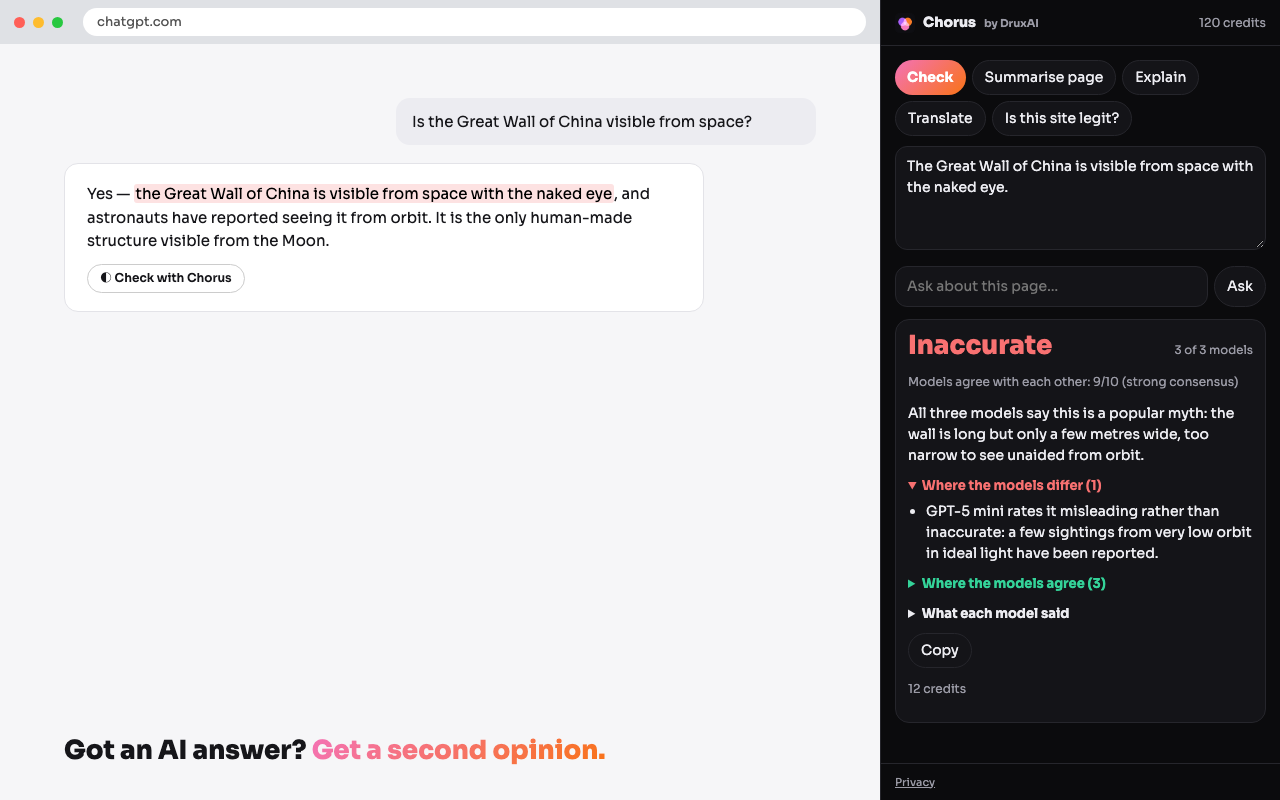
Check an AI answer
A “Check with Chorus” button under answers on ChatGPT, Claude and Gemini. Other models give their verdict — accurate, misleading or inaccurate — and you see exactly where they differ.
Check any claim
Highlight text on any page, right-click, “Check this with Chorus”. News, forums, product pages, that message your uncle forwarded.
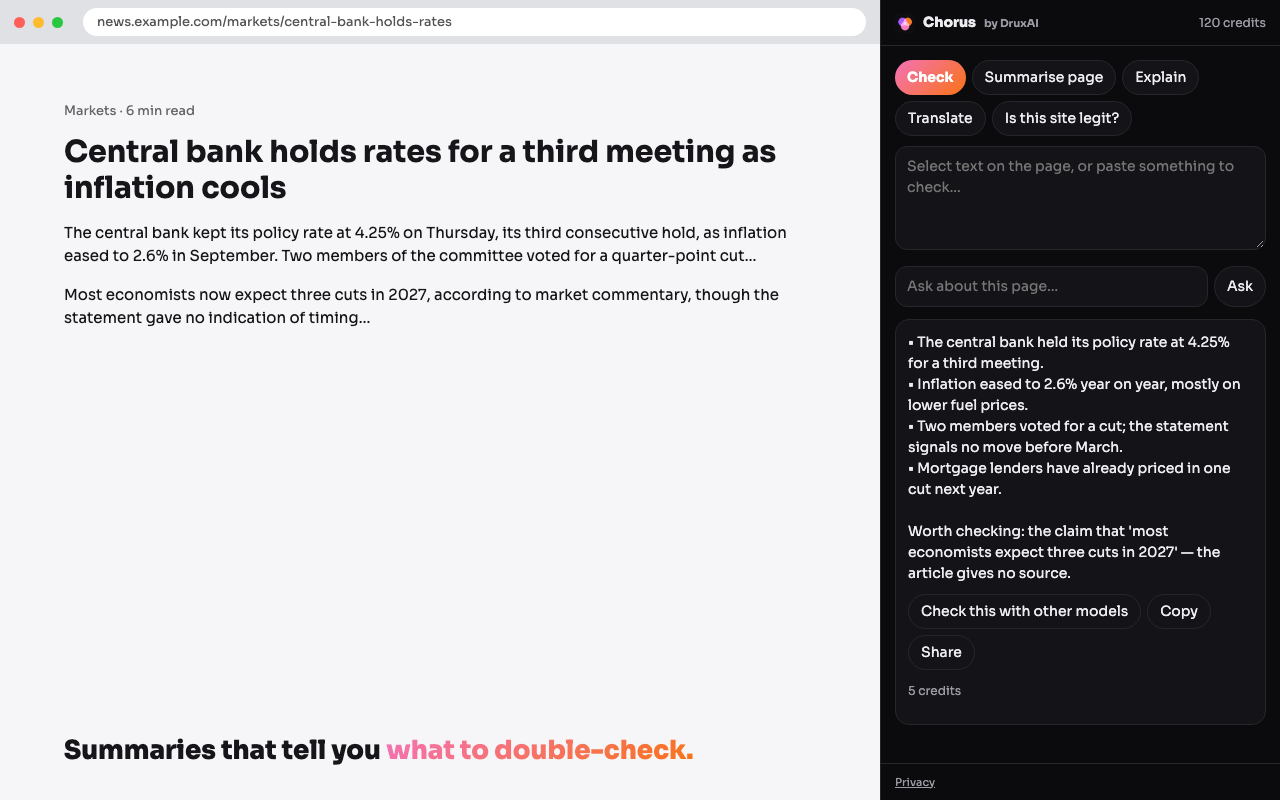
Summarise this page
The page in a few bullet points, plus the one claim on it worth double-checking.
Explain and translate
Plain-language explanations of anything you highlight, and translation into 18 languages — with an option to compare translations from several models.
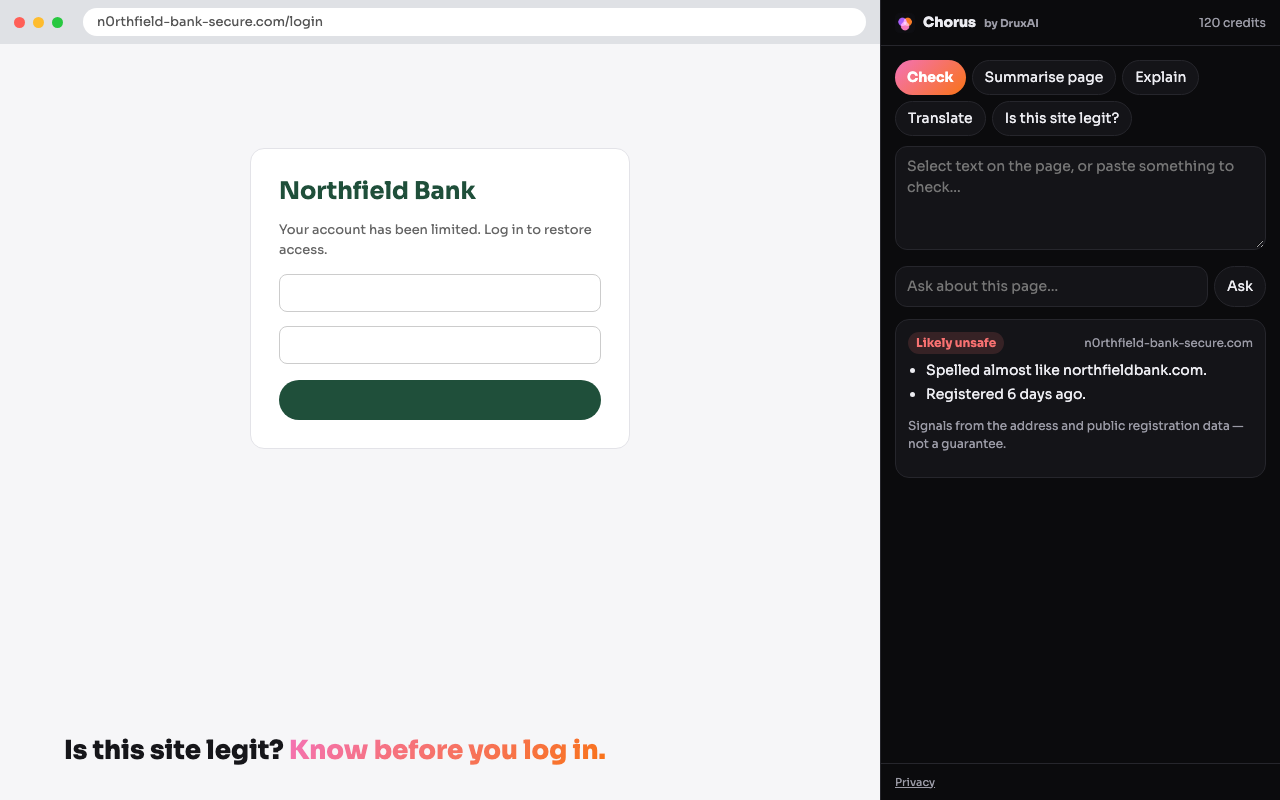
Is this site legit?
Warning signs for look-alike web addresses and freshly registered domains, before you log in or pay. Signals, not a guarantee.
Share a check
Turn any result into a link. Checks stay private until you share them.
Your pages stay yours
- Chorus reads a page only when you ask it to — a click, a right-click, a button. Nothing runs in the background and your browsing history is never collected.
- The text you ask about is sent to Drux, which asks the AI models through our gateway. We don't use it to train models and we don't sell it.
- Your checks are saved to your account so you can share them, and stay private unless you do.
Full details in the Chorus privacy policy.
Uses your Drux account and credits
Sign in once from the Chorus panel. New Drux accounts start with free credits. Checking a claim with three models uses about 12; a summary, explanation or translation about 5.
Chorus is in review on the Chrome Web Store. Leave your email and we'll send the link the day it's live.